AI analysis
Enter blood test results online free: check and translate your report
Your results are sitting in the NHS App or a PDF, written in abbreviations and units nobody explained. This guide shows you how to enter them online at no cost, translate the jargon into plain English, and end up with two or three sensible questions for your GP — in about five minutes.
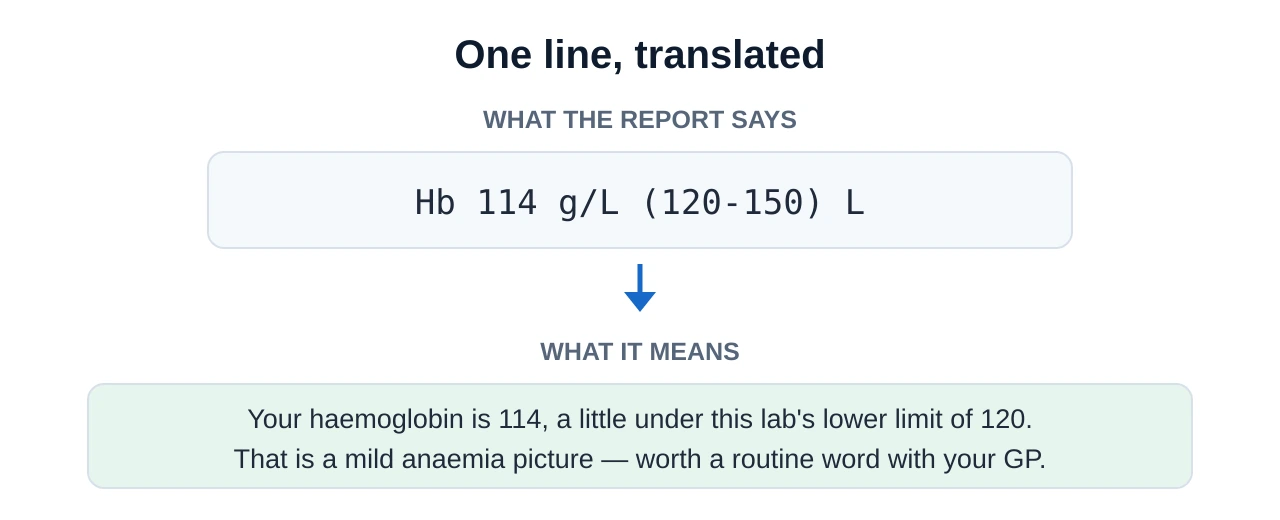
There is a particular kind of frustration in being handed your own data and not being able to read it. "Hb 114 g/L (120–150) L" is a complete sentence to a haematologist and a foreign language to everyone else. Entering those numbers into something that will explain them is a perfectly sensible instinct — and it is free to do.
What follows is the practical version: where to find the report, exactly what to copy out, how to translate the abbreviations, which units trip people up, and what a free online check should and should not tell you.
- What to copy per line
- Marker · value · unit · your lab's range
- What to leave out
- Name, date of birth, NHS number
- Where results live
- NHS App, GP online services, lab portal
- Time needed
- About five minutes for a typical panel
- What you get
- A translation — not a diagnosis
Where your results actually live
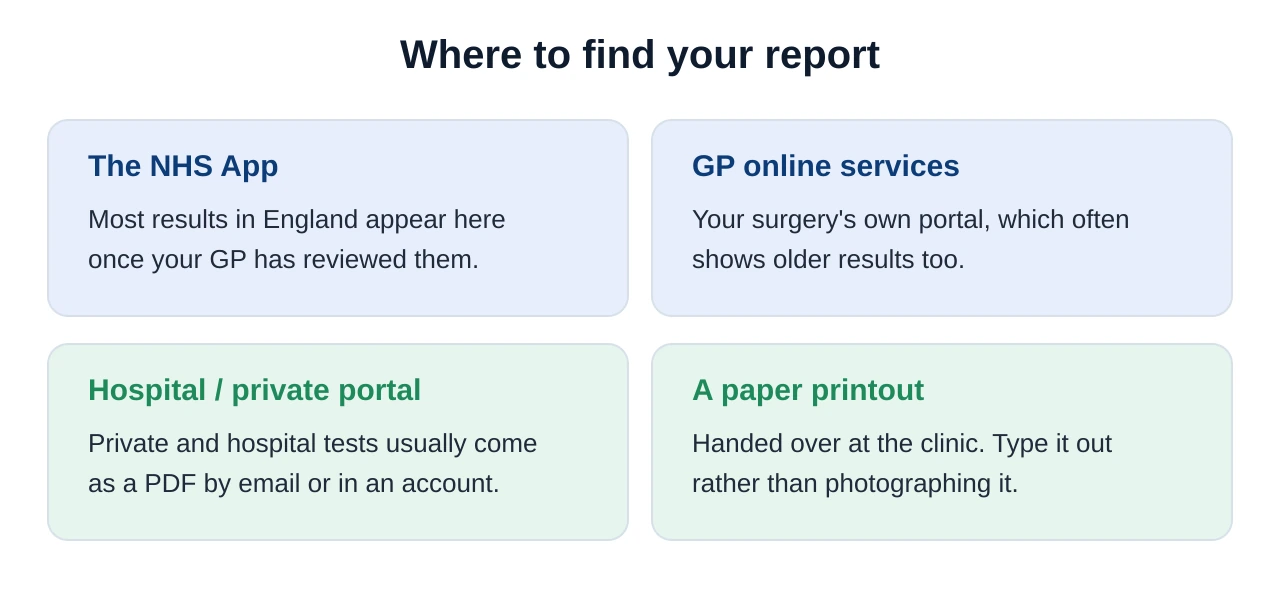
Before anything can be entered online, you need the issued figures rather than a half-remembered version of them. In the UK there are four usual places to find them.
One thing worth knowing: results sometimes appear online before anyone has reviewed them. Seeing a value flagged in the app does not mean your GP has read it and decided it is fine. If a flagged result has been sitting there for days with no contact, it is reasonable to ring the surgery and ask whether it has been filed.
Three ways to enter results online, free
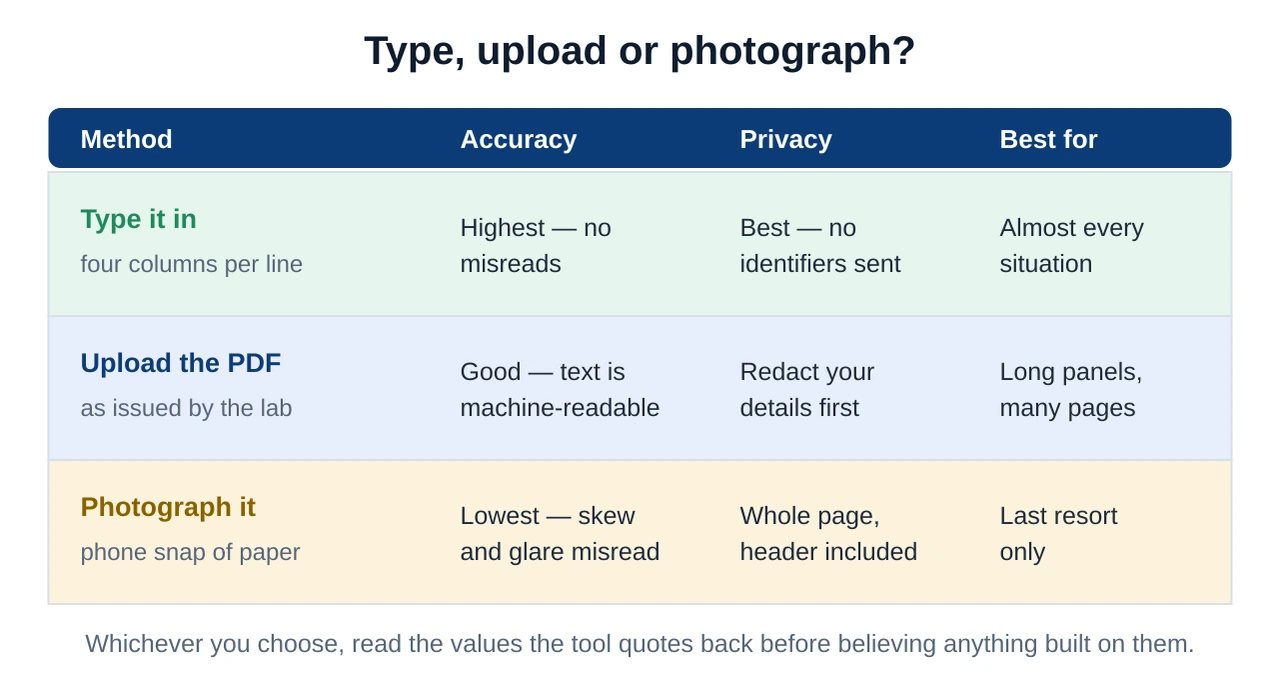
All three work, but they fail in different ways, and the differences matter more than they first appear.
The copy-out template: four columns per line
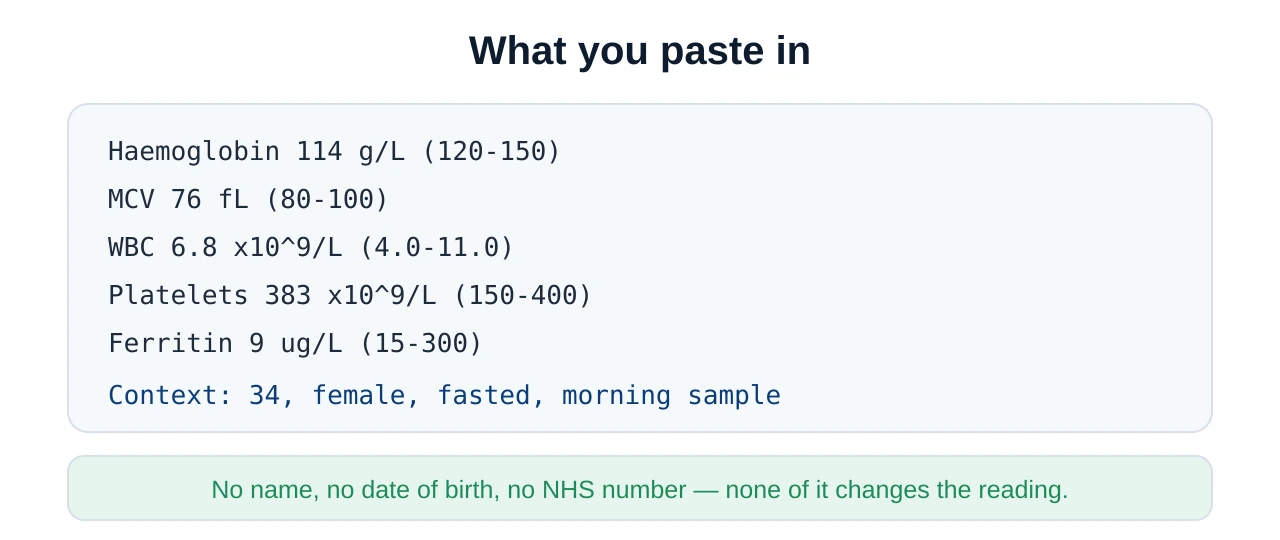
This is the heart of it. For every line on your report, copy four things. Leave any of them out and the tool has to guess — and guessing is where wrong answers come from.
| Marker | Value | Unit | Your lab's range |
|---|---|---|---|
| Haemoglobin (Hb) | 114 | g/L | 120–150 |
| Mean cell volume (MCV) | 76 | fL | 80–100 |
| White cell count (WBC) | 6.8 | ×10⁹/L | 4.0–11.0 |
| Platelets (PLT) | 383 | ×10⁹/L | 150–400 |
| Ferritin | 9 | µg/L | 15–300 |
Add one line of context underneath: your age, your sex, whether you fasted, roughly what time the sample was taken, and anything relevant such as pregnancy or a recent infection. Several markers are read differently depending on those details.
Translate my blood test results: the abbreviation layer
Half the difficulty of a report is that it is written in initials. Expanding them is the first and biggest step in making the document readable — and it is something you can do before any tool is involved.
| On your report | In plain English | What it describes |
|---|---|---|
| FBC | Full blood count | Red cells, white cells and platelets in one panel |
| Hb | Haemoglobin | The oxygen-carrying protein inside red cells |
| MCV | Mean cell volume | The average size of your red cells |
| RDW | Red cell distribution width | How much your red-cell sizes vary |
| WBC / Neut / Lymph | White cells, neutrophils, lymphocytes | Your immune cells and their main subtypes |
| PLT | Platelets | The fragments that help blood clot |
| U&E | Urea and electrolytes | Sodium, potassium, urea and creatinine |
| eGFR | Estimated glomerular filtration rate | A calculated measure of kidney filtration |
| LFT | Liver function tests | ALT, AST, ALP, GGT, bilirubin and albumin |
| TSH / FT4 | Thyroid stimulating hormone, free T4 | The two main thyroid markers |
| HbA1c | Glycated haemoglobin | Average blood glucose over about three months |
| CRP | C-reactive protein | A general marker of inflammation |
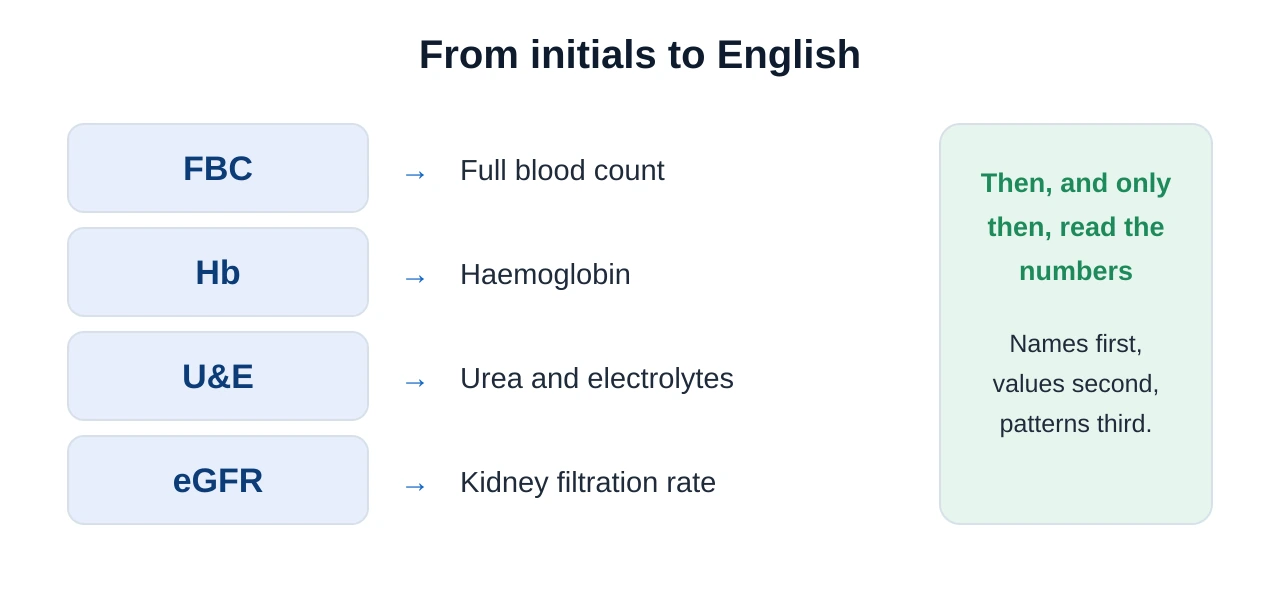
If a particular marker is what brought you here, our individual guides go far deeper than a glossary line: white blood cell count and the differential, and TSH and free T4 are the two people look up most often.
The unit trap: why UK reports confuse online tools
This is the single most common way an online check goes wrong, and it has nothing to do with the tool being unintelligent. UK and US laboratories report several everyday markers in completely different units.
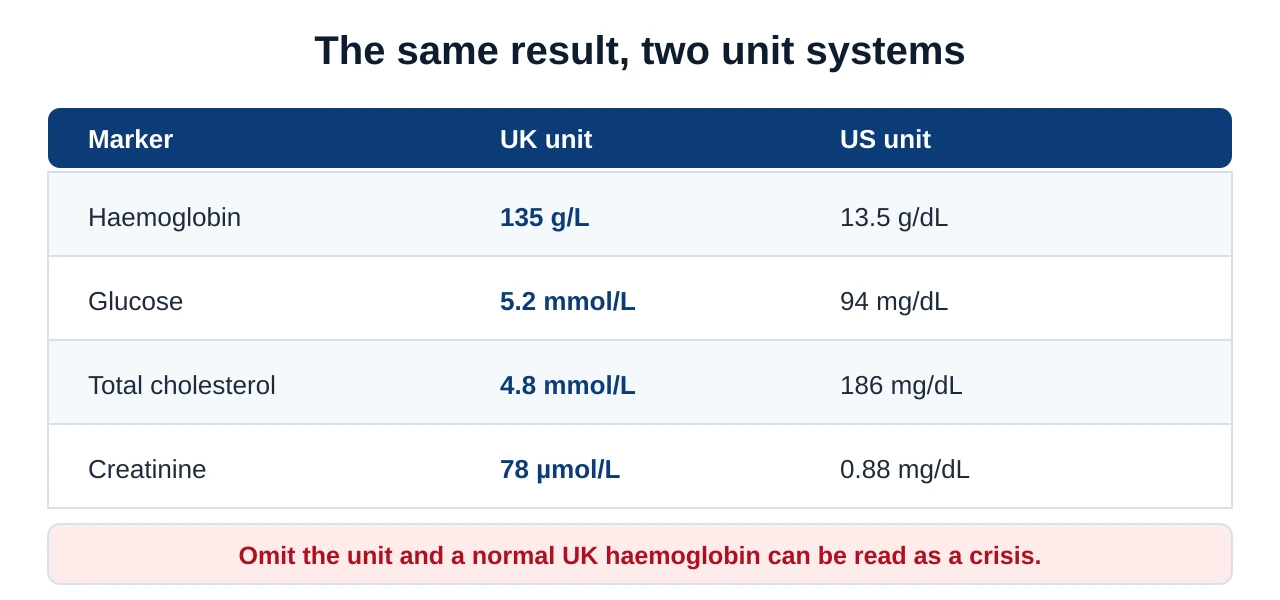
The fix is trivial once you know about it: type the unit next to every value, and type the range too. A tool given "Haemoglobin 135 g/L (130–170)" cannot make that mistake. A tool given "haemoglobin 135" very well might.
What a free blood test report check should give you
Not all outputs are equally useful. A good free check has a recognisable shape, and knowing that shape helps you judge whether a tool is worth your time.
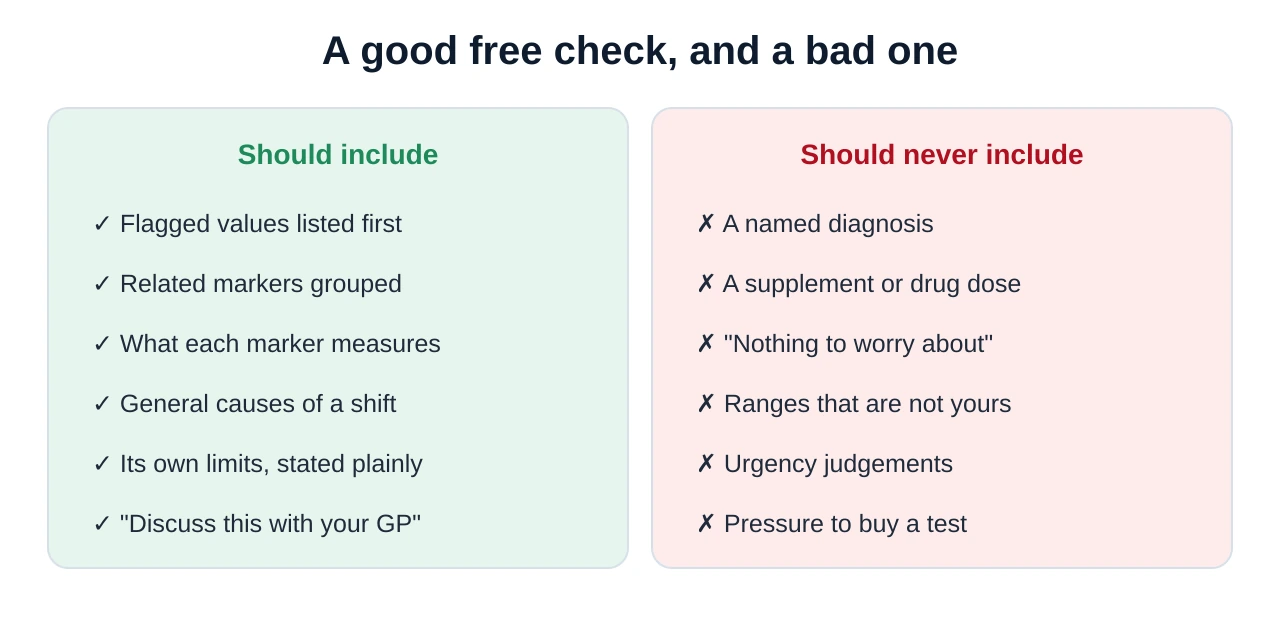
For a fuller treatment of how these tools work under the bonnet — and how the dedicated analysers compare with general chatbots — see our guide to the free AI blood test analyzer and our running comparison of AI blood test analysers.
Flags, ranges and the borderline problem
The letters H and L beside a value simply mean the number fell outside the range printed next to it. They are arithmetic, not judgement — and the distinction matters enormously when you are reading your own results at midnight.
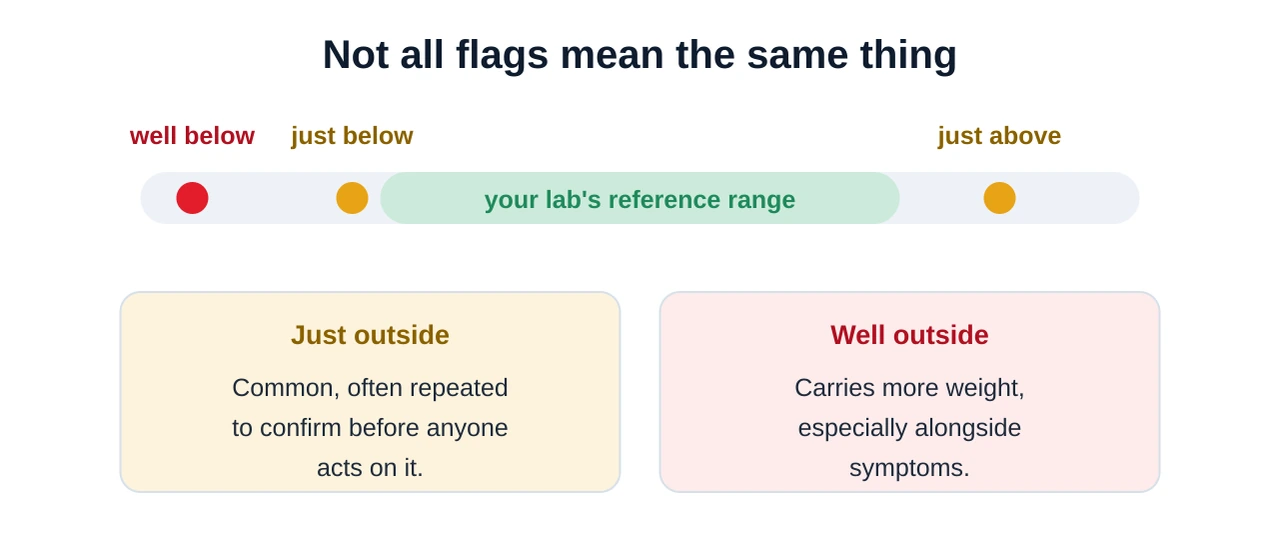
Two further points that online tools rarely make clearly. First, the reference range describes where most healthy people fall — it is a statistical band, not a wall. Being just inside it is not a certificate of health, and being just outside it is not a diagnosis. Second, a single flagged value with no symptoms and no supporting pattern is the least worrying kind of result there is. Our guide on how to read a blood test takes this apart step by step.
Staying safe when you check results online
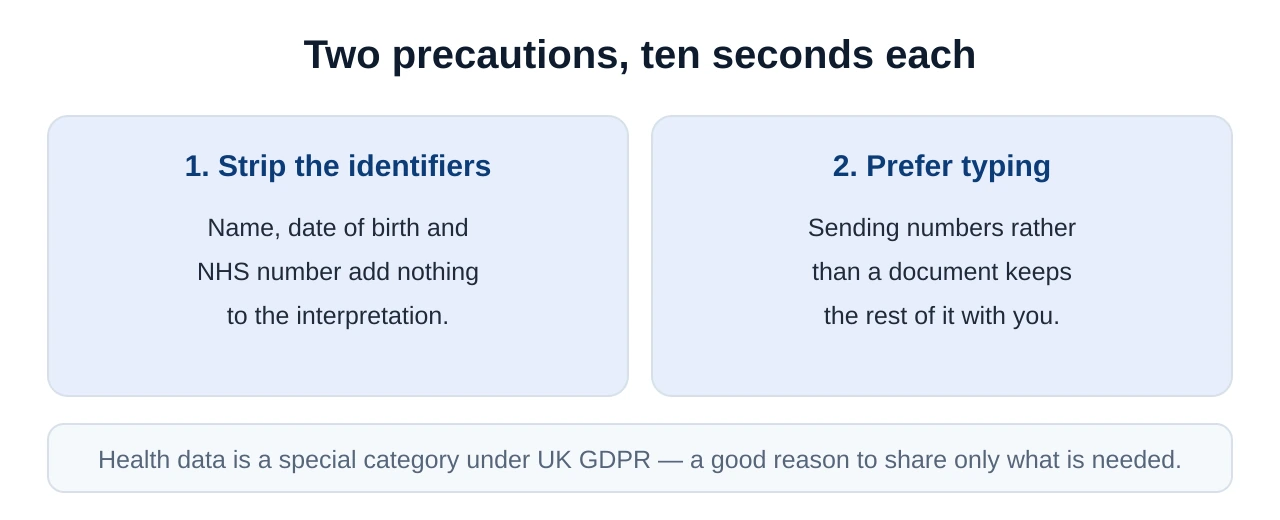
Entering results online is low-risk if you take two precautions, and both take seconds.
The five-minute workflow
Put together, the whole process is short enough to do while the kettle boils.
- Open the report at its source. NHS App, GP online services or your lab's portal — the issued figures, not a remembered version.
- Copy out four columns. Marker, value, unit, range. Exactly as printed, including decimals and the ×10⁹/L notation.
- Remove your identifiers. No name, date of birth or NHS number. Add a context line instead: age, sex, fasted, time of day.
- Paste it in and ask for a translation. Ask it to explain each marker and flag anything outside your range — not a range it found elsewhere.
- Check it back, then write your questions. Every value the tool repeats should match your report. Then reduce it all to two or three questions.
When to speak to your GP
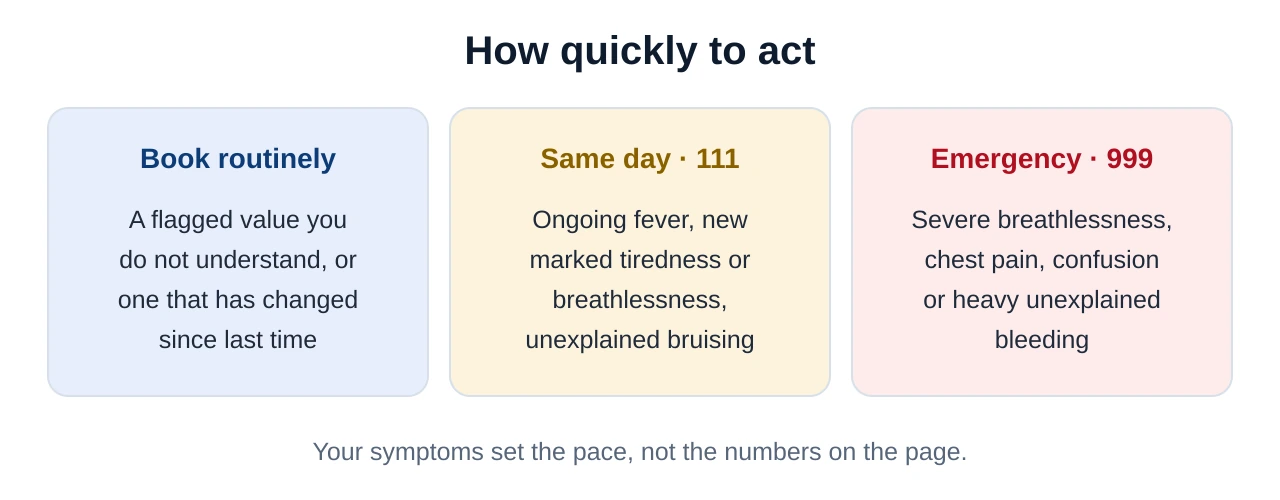
An online check prepares you for a conversation; it does not replace one, and it is not a way of deciding whether something is urgent.
Enter your results and get them in plain English
Type in the four columns — marker, value, unit, range — and Kantesti translates the whole report, flags what sits outside your own laboratory's ranges and groups the markers that belong together. Free, and ready to print for your appointment.
Enter my results with KantestiIn short
Entering your blood test results online costs nothing and takes about five minutes. Get the report from its source, copy out four columns for every line — marker, value, unit and the reference range printed beside it — leave your name, date of birth and NHS number out of it, and add a one-line context note. Expand the abbreviations yourself, watch the UK-versus-US unit differences that cause most misreads, and check every figure the tool repeats back to you. What you should end up with is a translation and two or three specific questions, not a verdict. The verdict belongs to your GP.
Frequently asked questions
Can I enter my blood test results online for free?
How do I translate my blood test results into plain English?
Where do I find my blood test results in the UK?
Is a free online blood test report check reliable?
Do I have to upload the PDF, or can I type the values in?
Why do the ranges online differ from the ones on my report?
Sources & references
- NHS — The NHS App — viewing your GP record and test results online in England.
- NHS — Blood tests — what common blood tests involve and how results are returned.
- Lab Tests Online UK — Full Blood Count (FBC) — the markers on an FBC and how they are reported.
- MedlinePlus — How to understand your lab results — reference ranges, units and flags explained.
- ICO — Special category data — the extra protection health data carries under UK GDPR.